
Wondering how to read your car’s odometer in kilometers? Whether you’re checking your own vehicle or buying a used car, understanding the odometer reading is key to knowing how far the car has traveled.
You might find yourself confused by numbers on the dashboard or unsure if the reading shows kilometers or miles. Don’t worry—this guide breaks down everything you need to know in simple steps. By the time you finish reading, you’ll be confident spotting your odometer, interpreting the numbers, and using that info to make smarter decisions about your car.
Keep reading to master this easy but essential skill!
You May Like
No products found.
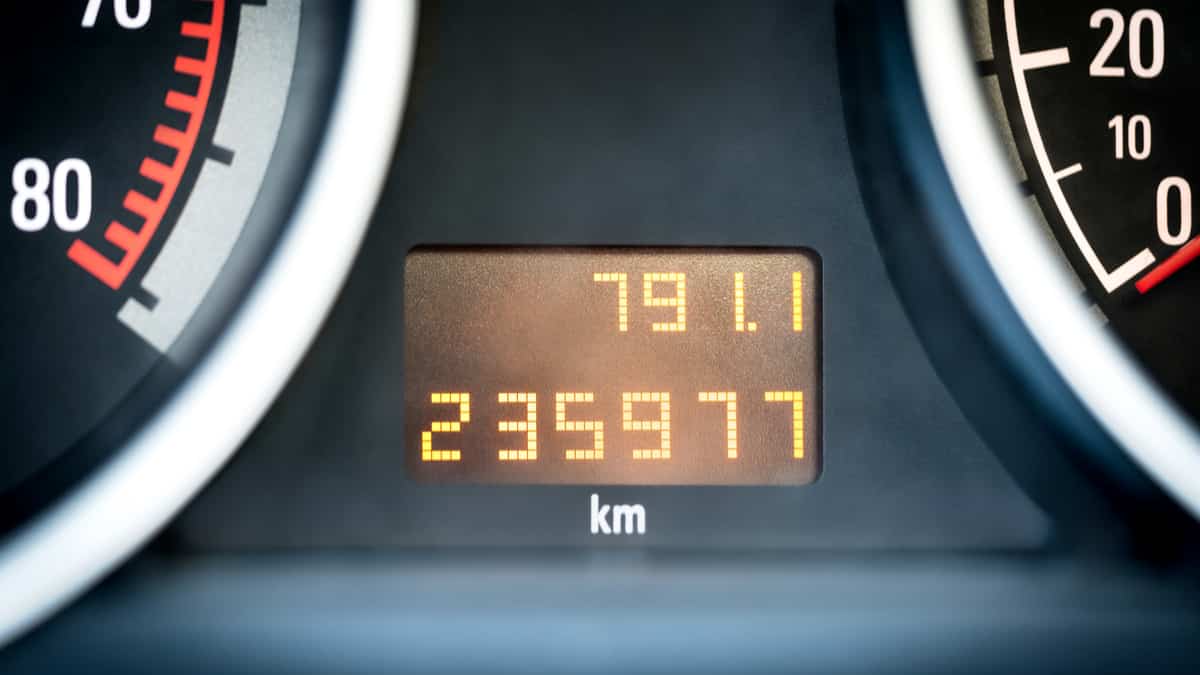
Credit: www.gmride.com.my
Locate The Odometer
Finding the odometer is the first step in reading your car’s distance traveled. The odometer shows how many kilometers your vehicle has driven. It is usually located on the dashboard, near the speedometer. This helps drivers keep track of the car’s use and plan maintenance.
Depending on your car’s age and make, the odometer will look different. It can be a digital screen or a mechanical dial. Both types display the total kilometers but in unique ways. Understanding where to find the odometer makes reading it simple and quick.
Digital Displays In New Cars
New cars usually have digital odometers. Look for a small screen inside the instrument cluster. The screen shows numbers clearly, often labeled “ODO” or “Mileage.”
These numbers count up as the car moves. Some digital odometers also have trip meters. These track shorter distances for specific trips. You can reset trip meters easily using dashboard buttons.
The digital display is bright and easy to read, even at night. It may show extra information like fuel economy or service alerts. The odometer reading is usually one of the first things shown on the screen.
Mechanical Dials In Older Models
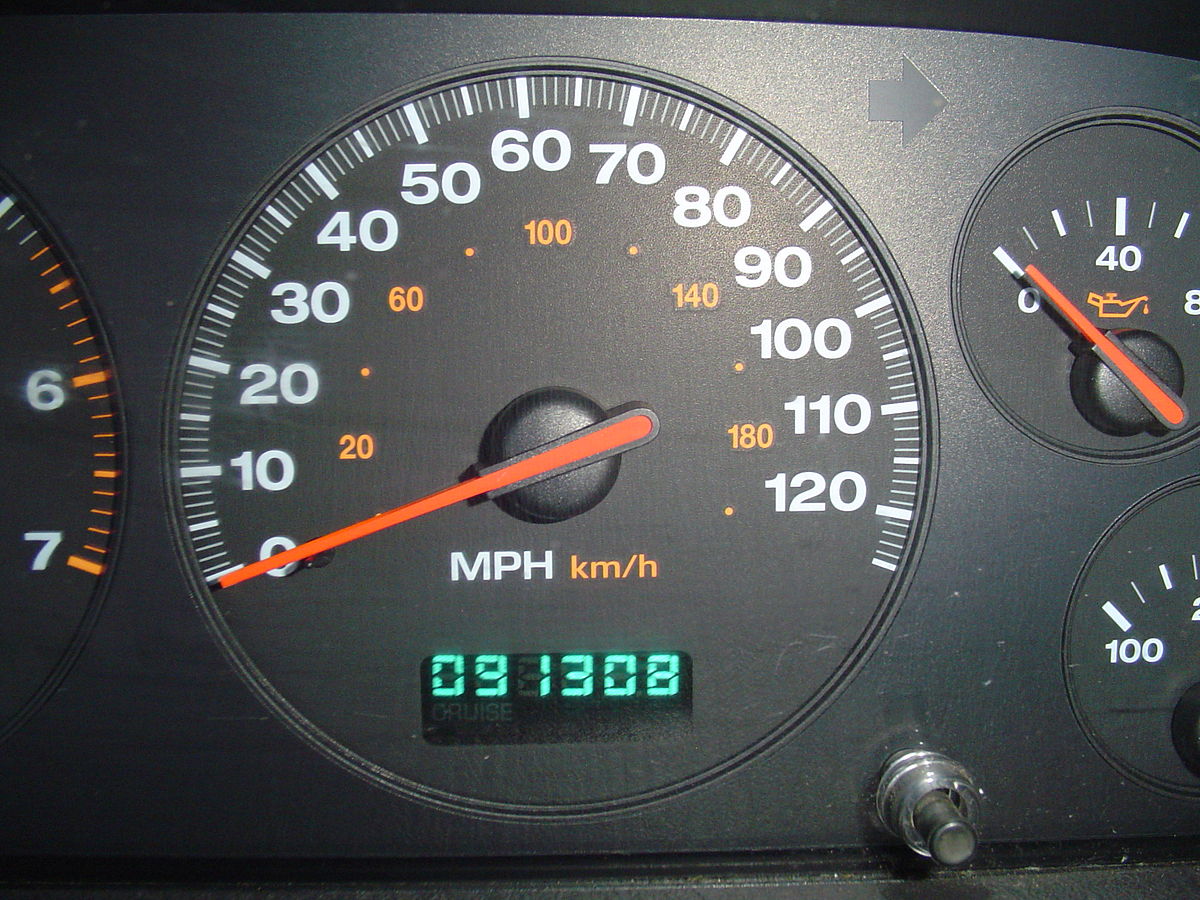
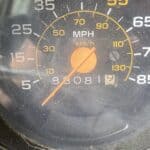
Older cars have mechanical odometers with spinning wheels. These wheels show numbers like a clock. Each wheel turns to show one digit of the total kilometers.
Look for a small window on the dashboard near the speedometer. The numbers are often white on a black background. The rightmost digit may be smaller and show tenths of a kilometer.
Mechanical dials can be harder to read in low light. They do not reset automatically and show only total kilometers. Some older cars have a separate small dial for trip distance, which you can reset by hand.

Credit: www.youtube.com
Turn On The Ignition
Turning on the ignition is the first step to read the odometer kilometers. The odometer shows how far your vehicle has traveled. It only displays the numbers after the ignition is on. The engine does not need to start for this. Simply powering the dashboard lets you see the mileage.
There are two common ways to turn on the ignition. Some cars use a traditional key, while others use a push button. Each method activates the dashboard differently. Knowing your car’s ignition type helps you access the odometer reading quickly and easily.
Using The Key Ignition
Insert the key into the ignition slot. Turn it to the “On” position without starting the engine. This position powers the dashboard lights and the odometer display. The odometer will show the total kilometers traveled. The trip meter may also appear. Do not turn the key all the way to start the engine. Just the “On” position is enough to read the odometer.
Push Button Start Method
Press the start button once without pressing the brake pedal. This action powers the dashboard and shows the odometer reading. The screen will display the total kilometers and sometimes trip information. Avoid pressing the brake or holding the button, as that will start the engine. Pressing the button once is enough to turn on the ignition for reading the odometer.
Identify Odometer Types
Understanding the type of odometer in your vehicle is the first step to reading the kilometers correctly. Odometers come in different forms, mainly depending on your car’s age and model. Recognizing the type helps you interpret the mileage data accurately. This section explains the common odometer types and their functions.
Total Mileage Odometer
The total mileage odometer shows the full distance your vehicle has traveled since new. It is usually labeled as “ODO” on the dashboard. This reading cannot be reset and gives an overall picture of the car’s use. Older cars often have mechanical dials with spinning numbers. Newer vehicles use digital displays to show total kilometers clearly. Checking this number helps monitor vehicle wear and schedule maintenance.
Trip Meter Functions
The trip meter tracks the distance for individual trips or shorter periods. It is a smaller display often marked as “Trip A” or “Trip B.” Drivers can reset this meter anytime to measure distances like daily travel or fuel usage. Trip meters may be digital or mechanical, depending on the car. Using the trip meter helps plan routes and manage fuel efficiency.
Credit: en.wikipedia.org
Read The Numbers Correctly
Reading the numbers on your odometer correctly is important for tracking your vehicle’s total distance. The odometer shows the kilometers traveled, but the way numbers appear can vary. Understanding how to read these numbers ensures you get accurate information about your car’s usage.
Interpreting Digital Readings
Digital odometers display numbers clearly on a small screen. These numbers usually show the total kilometers driven. Look for labels like “ODO” or “Mileage” near the display. The digits will appear as a simple number, such as 123456, which means the car has traveled 123,456 kilometers. Sometimes, the display also shows tenths of kilometers as a decimal number. Make sure to read all digits carefully to avoid confusion. Some digital odometers allow switching between total and trip distances using buttons on the dashboard or steering wheel. Always check that you are viewing the total mileage to get the correct reading.
Understanding Mechanical Wheels
Older cars often have mechanical odometers with spinning wheels. Each wheel shows one digit, and they rotate as the car moves. The wheels are arranged in a row, with the rightmost wheel showing the smallest unit, usually tenths of a kilometer. Read the numbers from left to right for the full distance. For example, if the wheels show 012345, it means 12,345 kilometers. Mechanical odometers may have some wear, so numbers can be harder to read. Check each wheel carefully to avoid misreading. Note that the wheels only move forward, so the numbers always increase as the car travels more kilometers.
Switch Between Displays
Switching between displays on your vehicle’s dashboard helps you see different mileage readings. You can view the total kilometers traveled or trip meters for specific journeys. Modern cars often allow easy toggling between these displays using simple controls. Learning how to switch helps you monitor your car’s usage better.
Using Steering Wheel Controls
Many cars have buttons on the steering wheel for display navigation. Look for buttons labeled with icons like a page or arrows. Press these buttons to cycle through the odometer and trip meter readings. This method keeps your hands on the wheel and eyes on the road.
Some vehicles require holding a button for a few seconds to reset trip meters. Check your car manual for exact steps. Steering wheel controls make switching displays quick and safe.
Dashboard Button Navigation
Your dashboard may have dedicated buttons near the odometer display. These buttons often say “ODO” or “TRIP.” Press the button to toggle between total kilometers and trip distances. Repeated presses cycle through different display modes.
Older cars with mechanical odometers usually have a small knob to turn or press. This knob switches between odometer and trip meter. Using dashboard buttons is simple and reliable for changing readings.
Verify Mileage Accuracy
Verifying the accuracy of your odometer reading is crucial. It ensures the mileage shown matches the vehicle’s true usage. Accurate mileage helps assess the car’s condition and value. This section explains how to verify mileage accuracy effectively.
Compare With Maintenance Records
Maintenance records often list the mileage at service times. Check these records against the odometer reading. Consistent numbers mean the odometer likely shows the correct mileage. Large differences might suggest tampering or errors. Use service stamps, oil change dates, and inspection reports as references.
Use Obd-ii Scanner For Confirmation
An OBD-II scanner can read the car’s computer data. This data includes the recorded mileage stored in the vehicle’s system. Connect the scanner to the car’s port under the dashboard. The scanner displays mileage information independent of the dashboard odometer. Matching readings confirm the odometer’s accuracy. Discrepancies call for further inspection or expert help.
Differentiate Km From Miles
Understanding the difference between kilometers (km) and miles is key when reading your vehicle’s odometer. Both units measure distance, but they are not the same. Confusing them can lead to errors in tracking your car’s mileage or fuel efficiency. This section helps you spot the differences easily and accurately read your odometer regardless of the unit used.
Check Speedometer Units
The speedometer often shows whether your car uses km or miles. Look closely at the numbers around the dial. Kilometers per hour (km/h) usually appear on the outer ring, while miles per hour (mph) might be on the inner ring or missing altogether. Some cars show only one unit, making it clear which system is used.
If your odometer and speedometer match, you can trust the numbers. For example, if the speedometer shows km/h, the odometer reading is likely in kilometers. This simple check helps avoid confusion when reading the total distance traveled.
Regional Variations In Display
Different countries use different units for distance. Most countries use kilometers, but the United States and the United Kingdom often use miles. This affects how your odometer displays mileage. Imported cars may have odometers showing miles instead of kilometers or even both units.
Some vehicles allow switching between km and miles through settings. Check your car manual or dashboard controls to see if this option exists. Always confirm the unit displayed before recording or reporting your mileage, especially if you travel or buy a car from another country.
Tips For Accurate Reading
Accurate odometer readings help track your vehicle’s mileage correctly. Small mistakes can cause confusion and affect maintenance schedules. Follow simple tips to get precise numbers every time you check your odometer.
Avoid Reading While Driving
Reading the odometer while driving is unsafe and distracting. Stop the vehicle completely before checking the numbers. This ensures you can focus on the display without rushing. A clear view helps avoid misreading digits or missing details.
Regularly Reset Trip Meter
The trip meter tracks distances for specific journeys. Reset it at the start of each trip for accurate measurement. This habit helps monitor fuel efficiency and travel distances easily. Use the reset button on your dashboard or steering controls to clear it.
Frequently Asked Questions
How To Read Car Mileage Odometer?
Locate the odometer on the dashboard near the speedometer. Turn the ignition on without starting the engine. Read the numbers displayed labeled “ODO” for total mileage or “Trip” for trip distance. Digital odometers show digits, while mechanical ones have spinning wheels.
Is 20,000 Km A Lot For A Car?
20,000 km is relatively low mileage for a car, indicating light use and likely good condition. It suggests the car has plenty of life left.
How To Tell If An Odometer Is In Miles Or Km?
Check the speedometer units near the odometer; miles show “MPH,” kilometers show “km/h. ” Digital displays may label distance as miles or km.
How To Read Km?
To read kilometers (km) on an odometer, turn the ignition on without starting the engine. Locate the odometer display on the dashboard. The total distance traveled appears as a number labeled “ODO” or “km. ” Digital odometers show numbers directly; analog ones have rotating dials.
Conclusion
Reading your odometer km helps track your car’s total distance. Always check the display carefully on your dashboard. Digital odometers show numbers clearly, while older cars use spinning wheels. Remember, the main odometer shows total kilometers driven. The trip meter helps track shorter trips and can be reset anytime.
Turning the ignition on without starting the engine reveals these readings. Regularly checking your odometer keeps you informed about your vehicle’s use. Understanding these basics makes reading your odometer simple and useful. Keep this guide handy for quick reference anytime you need it.
Related posts:
 Is It Illegal to Have Led Lights Inside Your Car? Know the Facts!
 Can You Vinyl Wrap a Leased Car? Essential Tips Revealed
 Can You Leave a Laptop in a Hot Car? Shocking Risks Revealed
 Can You Put a Wrap on a Leased Car? Essential Tips Revealed
 Is It Illegal to Park in Front of a Mailbox? Know the Rules Now!
 Is It Illegal to Blast Music in Your Car? Know the Laws Now
 Is It Illegal to Park in Front of a Driveway? Know the Rules!
 How to Read an Analog Odometer? Easy Steps for Accurate Mileage
 How to Read Odometer in Bike? Easy Steps for Accurate Tracking
 How to Read an Old Odometer? Expert Tips to Decode Mileage
