
Have you ever wondered what happens to your laptop when you leave it in a hot car? You might think it’s safe for a short time, but the truth could surprise you.
Your laptop is packed with delicate parts that heat can damage quickly. If you care about keeping your device working smoothly, you need to know the risks and how to protect it. Keep reading to discover why leaving your laptop in a hot car might be a bigger problem than you think—and what smart steps you can take to avoid costly mistakes.
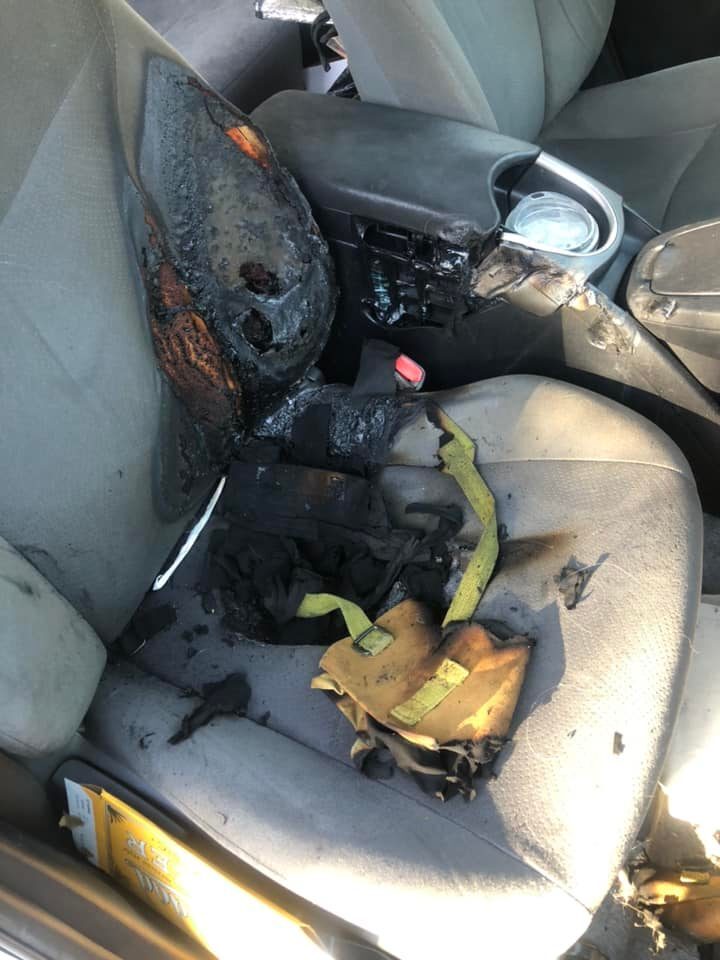
Credit: www.kgun9.com
Heat Effects On Laptop Components
Laptops are delicate devices. High heat can cause serious damage. Understanding how heat affects each part helps protect your device.
Heat can harm the battery, screen, and internal hardware. Leaving a laptop in a hot car can expose it to extreme temperatures. This risks reducing its lifespan and performance.
Battery Damage Risks
Laptop batteries are sensitive to heat. Excessive heat speeds up battery wear. It can cause swelling or leakage. Over time, this reduces battery life. A damaged battery may fail to hold charge. It can also pose safety risks.
Screen And Display Issues
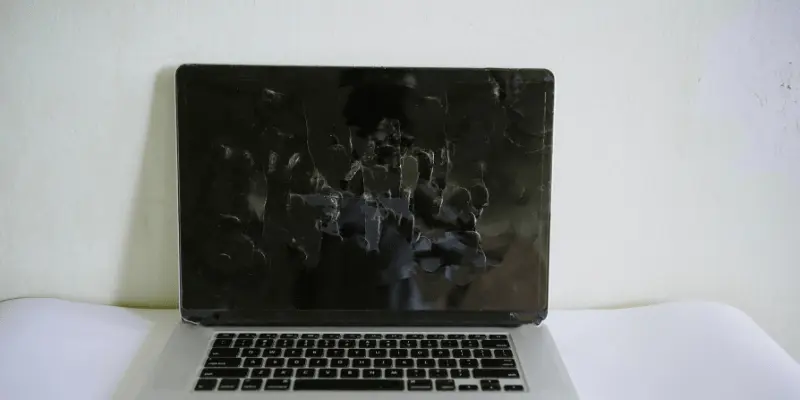
The laptop screen is fragile. Heat can cause the display to warp or discolor. Pixels may become stuck or dead. Prolonged heat exposure can damage the LCD or LED layers. This leads to poor image quality or complete screen failure.
Internal Hardware Vulnerability
Inside the laptop are tiny components. Heat can cause chips and circuits to overheat. This may result in hardware malfunction or data loss. Cooling fans may not work well in extreme heat. Overheating slows down the laptop or causes sudden shutdowns.
Temperature Thresholds For Laptops
Laptops have limits on the temperatures they can handle safely. Knowing these limits helps protect your device from damage. Heat can affect laptop parts like the battery, screen, and processor. Understanding temperature thresholds keeps your laptop working well.
Extreme heat can cause permanent damage. This is why temperature thresholds matter. Let’s explore safe ranges and critical heat limits for laptops.
Safe Operating Temperatures
Most laptops work best between 50°F and 95°F (10°C to 35°C). This range keeps internal parts cool and functioning. Staying in this zone prevents overheating and slowdowns. Using a laptop outside this range risks damage to the battery and processor.
Some laptops have built-in sensors to prevent heat damage. They slow performance or shut down if they get too hot. Still, avoid exposing your laptop to heat over 95°F for long times.
Critical Heat Limits
Temperatures above 95°F (35°C) start to harm laptops. At 113°F (45°C), damage to the battery can occur. Extreme heat may cause the screen to warp or internal circuits to fail. Prolonged exposure to temperatures over 122°F (50°C) can permanently break your laptop.
Leaving a laptop in a hot car can easily reach these levels. Car interiors can heat well above 130°F (54°C) on a sunny day. This heat can degrade battery life and cause hardware failure. Avoid leaving laptops inside hot cars to protect your device.
Consequences Of Leaving A Laptop In A Hot Car
Leaving a laptop inside a hot car causes serious damage. Heat inside cars can rise quickly, reaching dangerous levels for electronics. Laptops are sensitive devices. High temperatures affect their performance and safety. Understanding the risks helps protect your device and data.
Data Loss Possibilities
Extreme heat can corrupt files and cause data loss. Hard drives, especially older ones, are vulnerable to heat. Important documents and photos may become unreadable. Even solid-state drives can suffer from overheating. Back up data regularly to avoid permanent loss.
Permanent Hardware Failures
Heat damages internal parts like the motherboard and processor. Warping or melting of components may occur. Fans and cooling systems may stop working properly. This damage often cannot be fixed and means costly repairs or replacement.
Reduced Battery Lifespan
High temperatures shorten laptop battery life significantly. Heat causes chemical reactions inside the battery. This reduces charge capacity and overall lifespan. Over time, batteries may swell or leak, creating safety hazards. Keeping laptops cool extends battery health.
Credit: laptoptestguide.com
Signs Of Heat Damage On Laptops
Heat can harm laptops in many ways. Knowing the signs helps protect your device. Spotting heat damage early can save you costly repairs or data loss.
Performance Slowdowns
Heat causes laptops to run slower than usual. Programs may take longer to open. Multitasking feels harder and less smooth. The system struggles to keep up with tasks.
Unexpected Shutdowns
Overheating can make laptops shut down suddenly. This protects the internal parts from damage. Losing work without warning becomes common. Restarting the laptop often fixes this temporarily.
Physical Deformation
Extreme heat can change a laptop’s shape. The case may warp or bend slightly. Keys might feel loose or sticky. Screens can develop bubbles or discoloration. These signs show serious heat impact.
Preventive Measures For Laptop Safety
Protecting your laptop from heat damage is essential, especially in hot weather. Taking simple steps can keep your device safe. These preventive measures help avoid costly repairs and data loss.
Proper Storage Tips
Store your laptop in a cool, shaded place. Avoid direct sunlight inside the car. Use insulated bags or cases to block heat. Keep the laptop away from windows where sunlight enters. Place the laptop on a cool surface, not on the dashboard or seats.
Cooling Accessories
Use cooling pads to lower laptop temperature. Battery-powered fans can help improve airflow. Cooling accessories reduce heat buildup during use. Choose lightweight and portable options for easy use on the go.
Timing And Location Strategies
Do not leave laptops in cars during peak heat hours. Early morning or late evening is safer for short stops. Park in shaded areas or covered garages whenever possible. Avoid parking under the sun for long periods.
What To Do If Your Laptop Overheats
What to do if your laptop overheats is important to know. Overheating can cause damage to your device. Acting fast helps protect your laptop and data. Follow simple steps to cool it down safely.
Immediate Actions
Turn off your laptop right away. Unplug it from any power source. Remove any connected devices like USB or external drives. Move the laptop to a cooler place with good air flow. Avoid placing it in direct sunlight or on soft surfaces. Let the laptop cool for at least 30 minutes. Do not try to use it while it feels hot. Check for dust blocking the vents and clean gently if possible.
Professional Repair Options
If your laptop keeps overheating, seek expert help. A technician can check internal fans and cooling systems. They can replace faulty parts or apply new thermal paste. Professionals can also clean dust inside the laptop safely. Avoid opening the laptop yourself if you lack experience. Proper repair can extend your laptop’s life and prevent data loss.

Credit: www.reddit.com
Frequently Asked Questions
Can Heat Damage My Laptop Inside A Car?
Yes, high temperatures can damage your laptop’s battery, screen, and internal components. Heat may cause permanent hardware failure or reduce battery life.
How Hot Is Too Hot For Laptops In Cars?
Temperatures above 85°F (29°C) are risky for laptops left in cars. Extreme heat can cause overheating and permanent damage.
Can Laptop Data Be Lost From Heat Exposure?
Yes, excessive heat can corrupt your laptop’s data storage. Overheating may lead to data loss or hard drive failure.
Is It Safe To Leave A Laptop In A Parked Car?
No, leaving a laptop in a parked car exposes it to harmful heat. Always remove your laptop to avoid damage and theft.
Conclusion
Leaving a laptop in a hot car can cause serious damage. Heat can harm the battery and screen quickly. Your device might stop working or lose data. It’s best to keep laptops in cool, shaded places. Carry your laptop with you when possible.
Protect your investment by avoiding high temperatures. Small actions prevent big problems later. Think twice before leaving your laptop inside a hot car. Stay safe and keep your device working well.
